
🗓️ Last Updated: March 2026 | Verified from ignou.ac.in
If your IGNOU result not showing on the grade card portal, you’re not alone. This is one of the most common problems IGNOU students face after every Term End Examination cycle.
You’ve been refreshing the grade card page for days. Everyone else seems to have their result. But yours? Blank. Or maybe it shows some courses but not all. Or maybe the page just won’t load properly.
The reason it happens is almost never what you think. And in most cases, it’s fixable. Everything you need is inside the IGNOU Result Guide—from checking results to fixing withheld status, revaluation, pass marks, and beyond.
This article covers every possible reason why your IGNOU result is not showing — and exactly what you should do about each one.
Table of Contents
What “IGNOU Result Not Showing” Actually Means
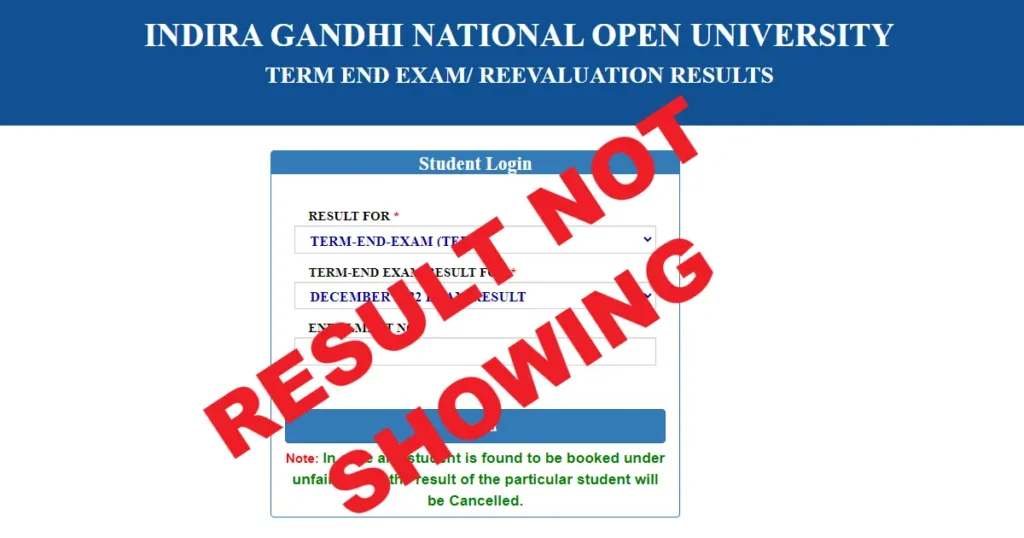
When your IGNOU result not showing, it means one of two things — either your result hasn’t been declared yet for that course, or there’s an issue that’s preventing it from appearing on the grade card portal.
It is different from a withheld result. A withheld result means your marks exist but are being held back. A result not showing means there are no marks visible at all against that course.
Both are frustrating. Both are fixable. But the steps to fix them are different — so read carefully.
Reasons Why Your IGNOU Result Not Showing
1. Result Has Not Been Declared Yet
This is the most straightforward reason. IGNOU declares results in phases — not all courses are updated at the same time. Some courses take longer to evaluate than others.
IGNOU typically declares June TEE results by August and December TEE results by February. But many courses get updated much later than this, sometimes stretching by weeks.
What to do: Wait for at least 45 days after your exam before assuming something is wrong. Keep checking the grade card portal every few days.
2. You Did Not Fill the Exam Form
This is a very common reason that students overlook. In IGNOU, filling the examination form is mandatory for every exam cycle — even if you’ve already registered for the course. If you didn’t fill the exam form or if the payment didn’t go through properly, your result will simply not show up.
What to do: Log in to the IGNOU student portal and check your exam form submission history. If you didn’t fill it, unfortunately there’s nothing that can be done for that cycle — you’ll have to appear in the next exam cycle.
3. Your Assignment Was Not Submitted or Not Recorded
IGNOU requires you to submit assignments before you can appear in the Term End Examination. If you appeared in the exam without submitting the assignment, or if the assignment was submitted but not recorded by the Study Centre, your result may not show up or may show as withheld.
What to do: Contact your Study Centre coordinator and ask them to verify whether your assignment marks were sent to the Student Evaluation Division. Carry your assignment submission receipt as proof.
4. Wrong Enrollment Number Entered
This sounds simple but it catches many students. If you’re entering the wrong enrollment number — especially now that IGNOU has migrated to 10-digit enrollment numbers — you won’t find your result.
Old students who had 9-digit enrollment numbers have been given new 10-digit numbers on the Samarth portal. If you’re still using the old number, results may not show.
What to do: Log in to the Samarth portal and confirm your current enrollment number. Use that exact number on the grade card portal.
5. You’re Checking the Wrong Exam Cycle
The grade card portal shows results by exam cycle — June or December. If you appeared in the June exam but are checking under the December cycle by mistake, you won’t find anything.
What to do: On the grade card portal, make sure you’ve selected the correct programme and the correct exam cycle before searching.
6. Result Declared but Portal Is Slow or Glitching
IGNOU’s grade card portal receives massive traffic right after results are declared. Sometimes the portal is slow, shows errors, or doesn’t load properly — especially on mobile data connections.
What to do: Try accessing the portal at off-peak hours — early morning or late night. Use a stable Wi-Fi connection. Try a different browser or clear your browser cache.
7. Practical or Project Marks Not Updated
For courses that have a practical component or a project submission, the marks take much longer to appear. Practical marks are evaluated separately and updated by a different section at IGNOU headquarters.
What to do: For practical marks, email practicalsed@ignou.ac.in. For project results (like MMPP-001 for MBA), email projects@ignou.ac.in or call 011-29571324.
8. Data Entry Error at IGNOU’s End
Occasionally, marks exist in IGNOU’s system but due to a data entry error, they don’t reflect properly on the grade card portal. This is less common but it does happen.
What to do: Raise a complaint on the iGRAM portal and also email sedgrievance@ignou.ac.in with your enrollment number, programme, course code, and exam cycle details.
How to Check Your IGNOU Result Correctly
Before assuming your result is missing, make sure you’re checking it the right way.
Step 1: Open your browser and go to gradecard.ignou.ac.in — this is the official grade card portal.
Step 2: Enter your 10-digit enrollment number carefully. Double check it.
Step 3: Select your programme code from the dropdown menu.
Step 4: Click Submit or Search.
Step 5: Your grade card will open. Check all the courses listed. Look for the exam cycle at the top — confirm it matches the exam you appeared in.
Step 6: If a course shows blank or missing, note down the course code. You’ll need it when you contact IGNOU.
One important tip — the grade card portal sometimes takes time to load all courses. Scroll down fully before concluding that a result is missing.
What to Do When Your IGNOU Result Not Showing
Follow this sequence — don’t skip steps.
Step 1: Wait for the standard timeline
If it’s been less than 45 days since your exam, just wait. IGNOU declares results in phases and this is normal.
Step 2: Verify your exam form submission
Log in to the student portal and confirm your exam form was submitted and payment was successful for that course.
Step 3: Check your assignment status
Contact your Study Centre and confirm your assignment marks were sent to SED. This is often the hidden reason.
Step 4: Try checking at different times
If the portal seems blank, try again at a different time of day on a stable internet connection.
Step 5: Email SED with full details
If it’s been more than 45 days and your IGNOU result not showing, email the Student Evaluation Division. Write your enrollment number, programme code, course code, and exam cycle clearly. Use the correct email based on your level:
– Master’s degree results → mdresult@ignou.ac.in
– Bachelor’s degree results → bdresult@ignou.ac.in
– Diploma/PG Diploma results → dpresult@ignou.ac.in
– Certificate results → cpresult@ignou.ac.in
Step 6: Raise a complaint on iGRAM
If you don’t get a response from SED within 2 weeks, raise a formal grievance on the iGRAM portal. Keep the complaint number for follow-up.
Difference Between “Result Not Showing” and “Result Withheld”
Many students confuse these two. Here’s a simple breakdown:
Result Not Showing means there are no marks visible against your course on the grade card. The course may not appear at all, or it appears with a blank status.
Result Withheld means the course appears on your grade card but the status column says “Withheld.” Your marks exist but are being deliberately held back due to a specific pending issue.
If your result is withheld, you need to read our separate article on IGNOU result withheld — the steps to fix it are different.
If your result is simply not showing — blank or missing — then this article is for you.
The most important thing to check first is your assignment submission and your exam form. These two things together account for the majority of missing result cases.
Who to Contact at IGNOU for Result Not Showing
Here is the verified contact information from ignou.ac.in:
For Masters degree result issues
- Email: mdresult@ignou.ac.in
- Phone: 011-29572212
For Bachelors degree result issues
- Email: bdresult@ignou.ac.in
- Phone: 011-29572211
For Diploma and PG Diploma result issues
- Email: dpresult@ignou.ac.in
For Certificate programme result issues
- Email: cpresult@ignou.ac.in
For practical marks not updated
- Email: practicalsed@ignou.ac.in
For project result (MBA and other programmes)
- Email: projects@ignou.ac.in
- Phone: 011-29571324
For general result grievances
- Email: sedgrievance@ignou.ac.in
- Phone: 011-29572218
iGRAM — Online Grievance Portal
- Website: igram.ignou.ac.in
Always mention your enrollment number, programme code, course code, and exam cycle in every email. Without these details, IGNOU’s team cannot trace your records and your complaint will take much longer to resolve.
Wrapping Up
If your IGNOU result not showing, the first thing to do is stay calm and check the basics — your exam form submission, your assignment status, and the enrollment number you’re using. Most of the time, one of these is the root cause.
If everything checks out and it’s been more than 45 days since your exam, write to the correct SED email for your programme level and raise a complaint on iGRAM.
IGNOU manages over three million students — things do slip through sometimes. But they do get resolved when you follow the right process.
If your result is showing as withheld rather than missing, head over to our article on IGNOU result withheld for the exact steps to handle that situation.
Frequently Asked Questions
Q1. Why is my IGNOU result not showing on the grade card portal?
There are several reasons your IGNOU result may not be showing — the result may not have been declared yet, you may not have filled the exam form, your assignment may not have been recorded, or there could be a technical issue with the portal. Start by confirming your exam form submission and assignment status, then wait for the standard 45-day period before raising a complaint.
Q2. How long does IGNOU take to declare results after the exam?
IGNOU typically declares Term End Examination results within 45 days of the exam. June TEE results are usually out by August and December TEE results by February. However, some courses — especially those with practical components or projects — may take longer. Keep checking the official grade card portal at gradecard.ignou.ac.in regularly.
Q3. My result is showing for some courses but not all — what should I do?
This is common. IGNOU updates results course by course, not all at once. Check whether the missing course had an assignment submitted and an exam form filled. If both are confirmed and it’s been more than 45 days, email the relevant SED section with your enrollment number, programme code, and the specific course code that’s missing.
Q4. What is the difference between IGNOU result withheld and result not showing?
Result not showing means there are no marks visible at all for that course on the grade card. Result withheld means the course appears on your grade card but the status says “Withheld” — your marks exist but are being held back due to a pending issue. Both need different steps to resolve. Read our article on IGNOU result withheld for the specific fix for that situation.
Q5. Which email should I write to if IGNOU result is not showing?
It depends on your programme level.
For Masters degree, write to mdresult@ignou.ac.in.
For Bachelors, write to bdresult@ignou.ac.in.
For Diploma or PG Diploma, use dpresult@ignou.ac.in.
For Certificate programmes, use cpresult@ignou.ac.in.
Always include your enrollment number, programme code, course code, and exam cycle in the email.
Still stuck? Drop your question in the comments and we’ll point you in the right direction.